Chat Modeling: Interaction-Enhanced Agent Framework for Visualizing Literature-Grounded Biological Structures
Donggang Jia1
Yunhai Wang2
Ivan Viola1
1King Abdullah University of Science and Technology (KAUST), Saudi Arabia
2Renmin University of China, China
Accepted to IEEE Transactions on Visualization and Computer Graphics
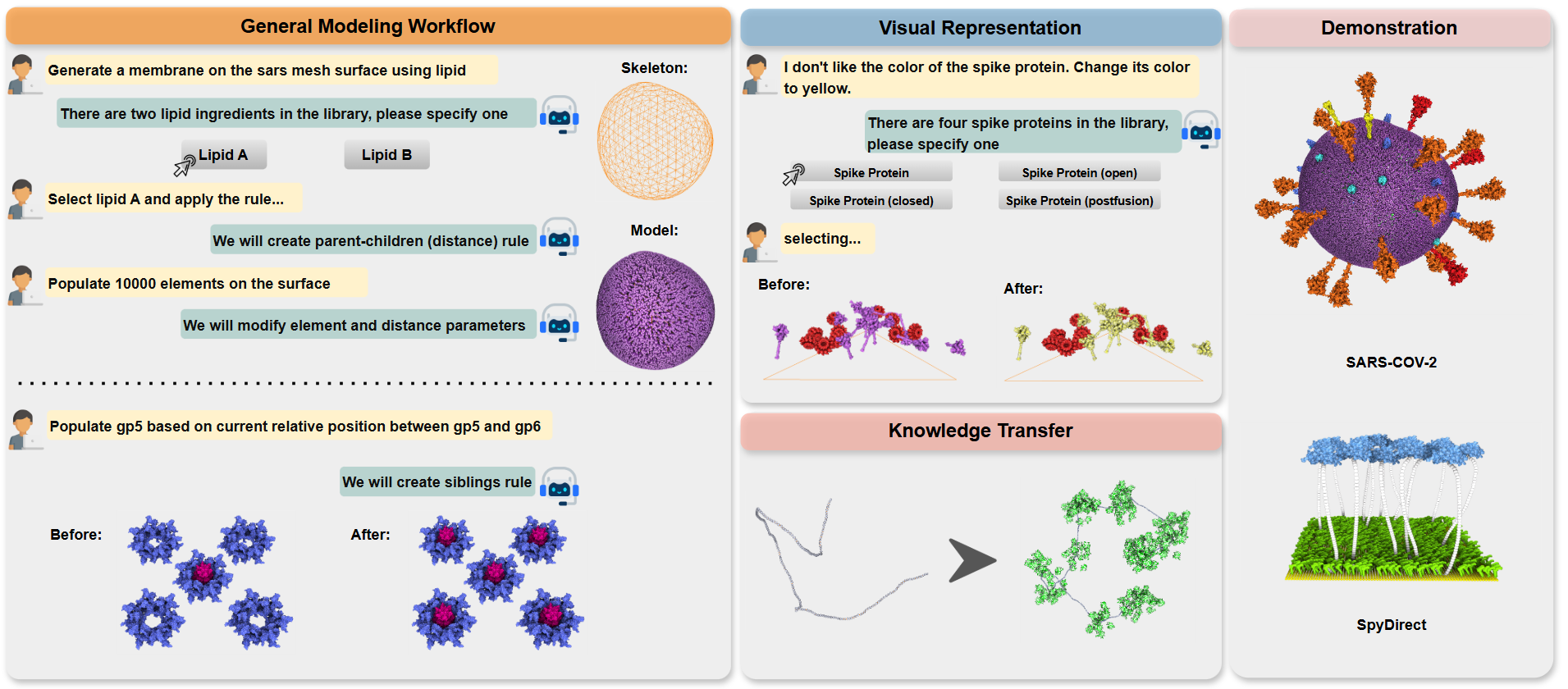
Figure 1: Chat Modeling is an interactive agent framework that takes users' multimodal input and completes modeling operations. It can complete the general modeling workflow, modify visual representations, or transfer previous modeling templates to a new model. We demonstrate the prototype through two complex biological structures modeled by different modeling modes.
Abstract:
Bioscientists frequently seek to visualize the biological systems they have empirically characterized and reported in the literature. Realizing such visualizations requires biological structure modeling, an inherently complex process that demands both biological and geometric understanding. This paper addresses the problem of constructing such 3D models for visualization. We introduce a novel agent framework that mitigates the challenges of operating 3D modeling software by transforming user inputs, including natural language descriptions, research publication content, and textual descriptions of the existing objects and structures in the current scene, into modeling operations in a structured JSON format and final 3D results. The major technical contribution lies in the collaborative agent design that simultaneously supports model planning, execution, and novel user interaction design, such as interactive modeling execution and dynamic widget generation that fuse text and mouse interaction within the chat window. The framework further incorporates a customized modeling memory to enhance user interaction, featuring components such as personalized memory management, feedback collection, and skill library design. This modeling memory is leveraged to enable improved 3D modeling performance over time. The quantitative evaluation on our collected dataset showcases the effectiveness of our framework. We also develop a prototype tool, Chat Modeling, and demonstrate its usage through two modeling case studies. Our user study and expert interviews highlight the potential of our approach for use in scientific workflows.
Figures:
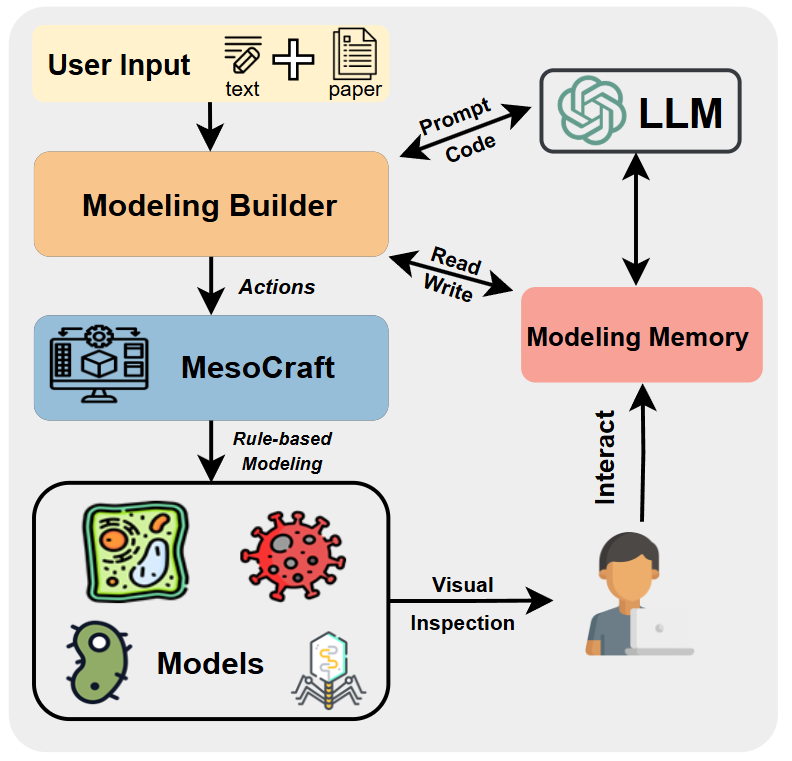
Figure 2: The framework starts with user input, processed by the Modeling Builder to generate modeling plans. MesoCraft then models biological structures from these plans. Users visually inspect results and interact with the modeling memory to improve the whole framework.
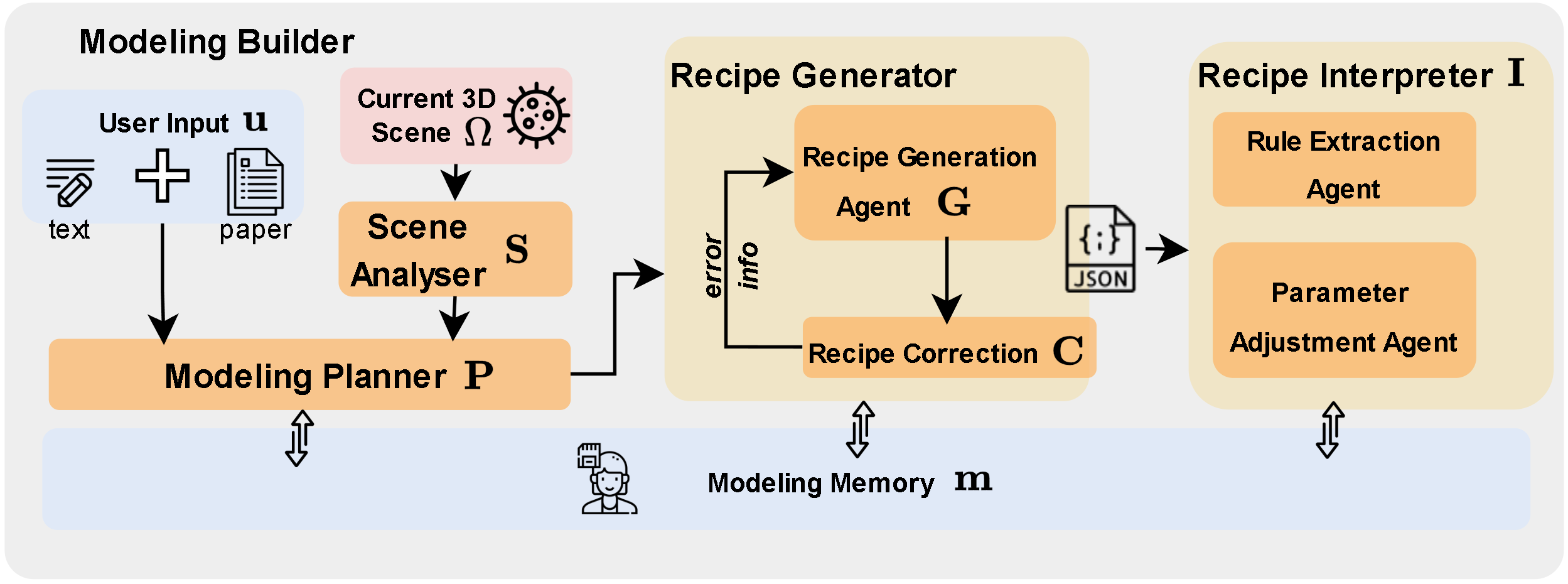
Figure 3: The modeling builder consists of the modeling planner, recipe generator, and recipe interpreter. The recipe generator creates validated recipes based on plans from the modeling planner, while the recipe interpreter converts these recipes into procedural modeling actions.
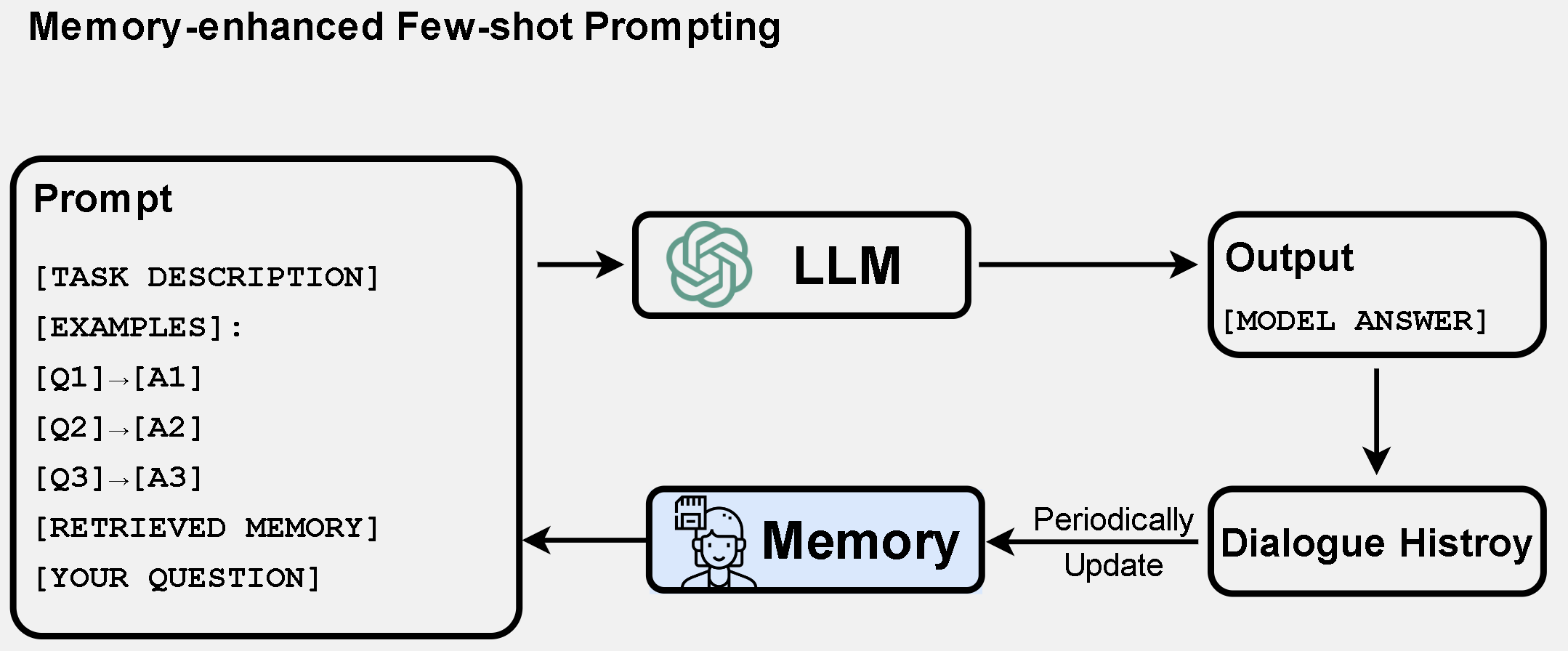
Figure 4: Memory-enhanced few-shot prompting setting. The prompt includes a task description, initial examples, and retrieved memory. Memory is periodically updated from the dialogue history.
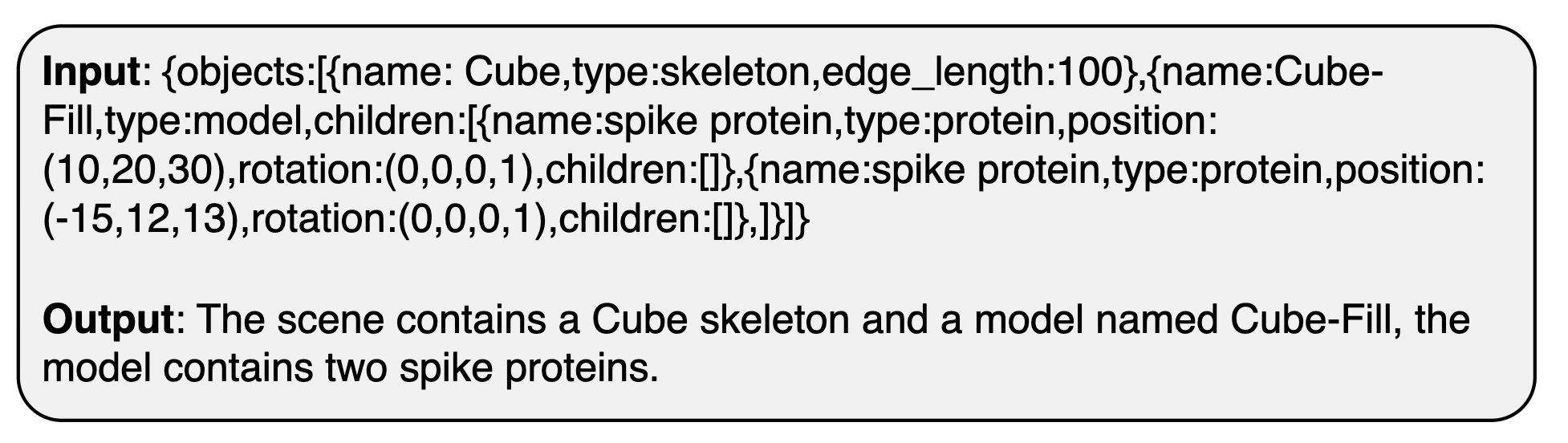
Figure 5: An example illustrating the input and output of the Scene Summarizer, which converts raw scene data into semantic scene information.
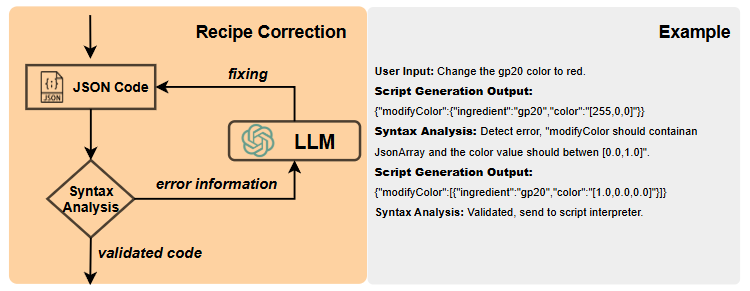
Figure 6: The recipe correction operation involves an iterative process for syntax analysis and error fixing before a generated recipe reaches the interpreter.
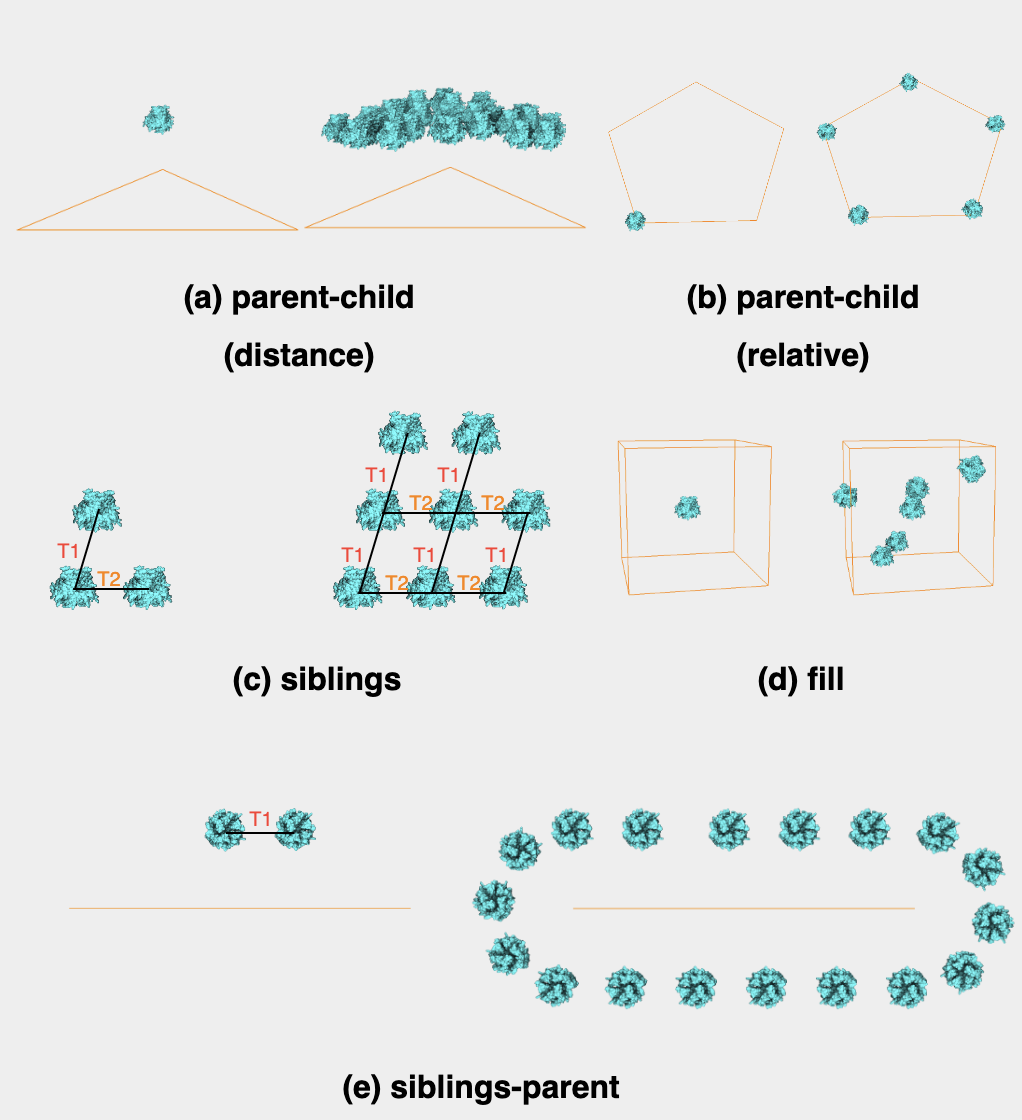
Figure 7: Examples of rule types: for each rule, the left image shows rule creation and the right image shows the outcome after rule application.
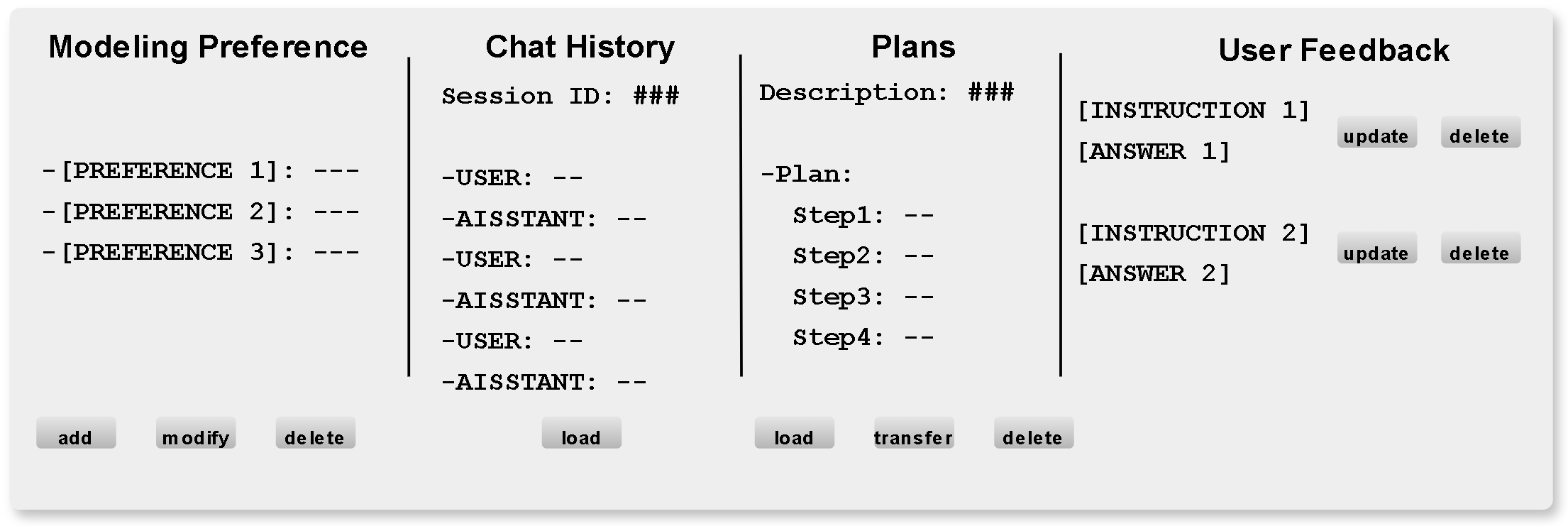
Figure 8: Demonstration of the memory management widget.
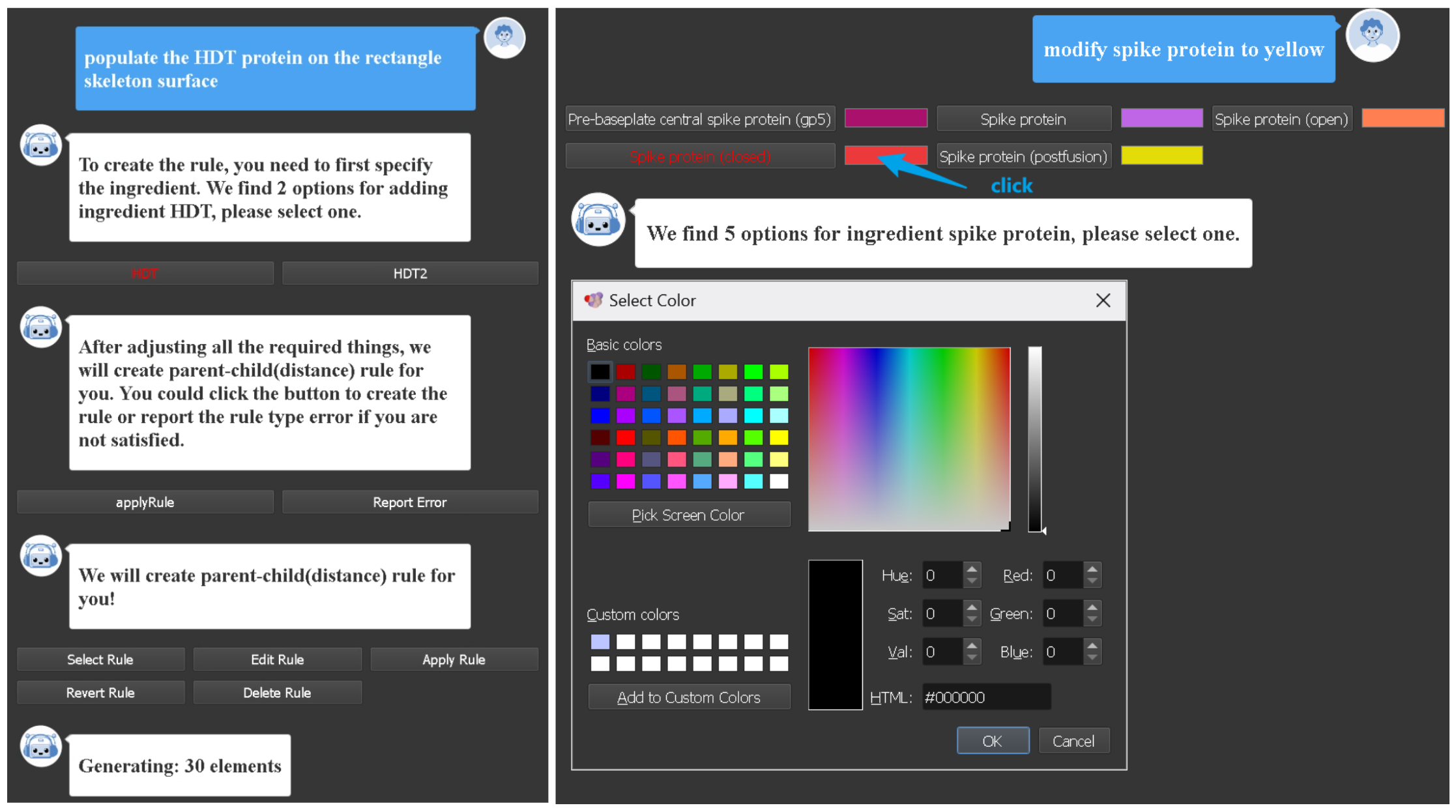
Figure 9: Examples of intent-conditioned widgets. The system generates selection buttons to disambiguate proteins with similar names, control widgets for iterative rule refinement, and a color picker for refining visual attributes after text-based commands.
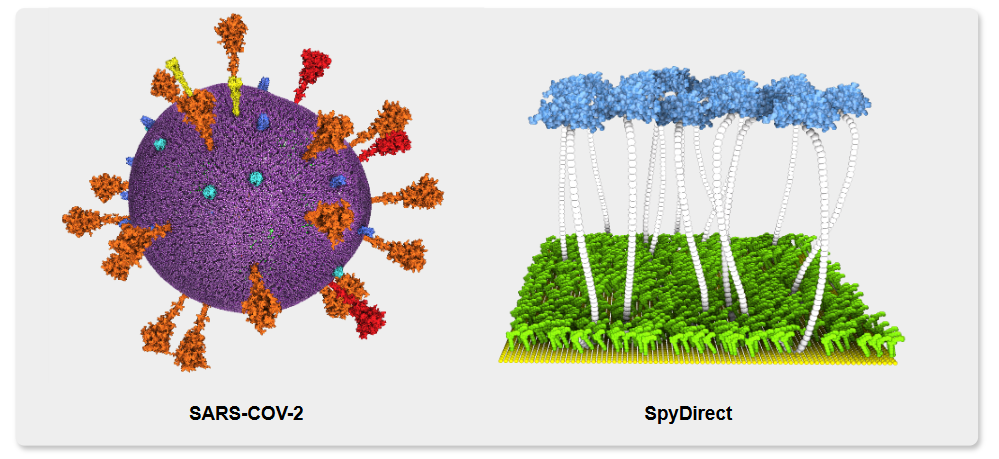
Figure 10: Demonstration models of the two modeling modes: structured planning for a SARS-CoV-2 model and step-by-step modeling for a SpyDirect-inspired biological structure.
Materials:
 |
 |
| Paper | Supplemental Material |